Watercolor: person sitting at computer with AI auto-organizing folders, scattered file icons nearby

Day 8: Autonomous AI, Automation Without Writing Code

This is Day 8 of Week 2 in the “AI Path L1→L2 Upgrade Guide.” You should have completed Day 7 first. On Day 7, you added error handling to your script. It now runs reliably in real network conditions. But there’s a more fundamental limitation: you still have to write code. Writing code to call APIs is one kind of automation. There’s a lighter one: describe the task, and let AI write the code, run it, and fix the bugs itself. That’s autonomous execution AI. ...

2026-06-28 · 6 min · Alex Wang
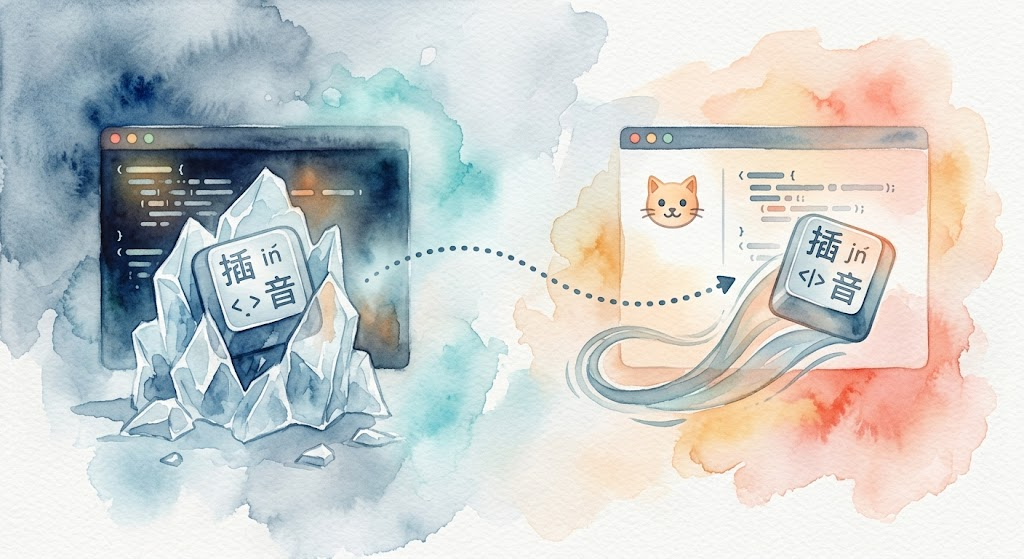
A terminal window emitting four data streams: stock quotes, GDP curves, corporate info, academic papers, all flowing from a single source

kdatasrc-helper: Let AI Agents Query Financial Data Directly

Problem: Data Sources Exist, But Agents Can’t Use Them kimi CLI’s datasource plugin is a good piece of work. A-share, HK, and US stock quotes, macroeconomic indicators, corporate registries, and academic papers: six data sources covering most day-to-day investment research needs. Install it, type one command in kimi, and you get results. But I work in opencode, not directly in kimi. When an AI agent needs to query financial data, a few things get in the way. ...

2026-06-21 · 4 min · Alex Wang
Watercolor illustration: a tidy desk with a laptop showing green progress bars and a 3/3 completion badge, files stacked on the left, fanned out on the right

Day 7 Exercise: Add Error Handling to Your Script

This is the Day 7 exercise for Week 2 of the “AI Path: Level Up Guide” series. Complete Day 6: Batch Processing Practice first. In Day 6, you wrote a batch processing script that works. Pick a scenario, walk the folder, call the API, save the results. It all runs smoothly until you try it for real. But that script runs in an idealized environment. Real networks are not ideal. Have you hit any of these with your script? ...

2026-06-18 · 8 min · Alex Wang
Watercolor illustration: a wooden desk with a laptop showing a batch processing script, input files on the left, output files on the right

Day 6 Exercise: Batch Processing Practice: Pick a Scenario and Run It

This is the Day 6 exercise for Week 2 of the “AI Path: Level Up Guide” series. Complete Day 5: Teach Your Script to Read More File Formats first, then come back here to work through Day 6. In Day 5: Teach Your Script to Read More File Formats, you built the read_file() function and the skeleton of a batch script. Your script recognizes files in various formats now. But you haven’t run a full pipeline from start to finish yet. You still need to pick a scenario, call the API, and save the results. That loop is missing. ...

2026-06-13 · 7 min · Alex Wang
Watercolor illustration: various files (PDF, Word, CSV) dropping into a funnel like building blocks, with clean text flowing out the other end

Day 5 Exercise: Teach Your Script to Read More File Formats

This is Day 5 of Week 2 in the “AI Path L1→L2 Upgrade Guide” exercises. Read Part 2 first, then come back here. The batch_summarize.py script from Part 2 handles .md and .txt files. But real files come in many more formats. PDF reports, Word contracts, CSV data tables, JSON config files. They’re sitting on your desktop right now, and the script can’t touch them. Today’s goal: write a read_file() function that picks the right reader based on file extension, then plug it into the Part 2 batch script. ...

2026-06-12 · 6 min · Alex Wang
Watercolor illustration: a conveyor belt feeding stacks of paper into a machine, with sorted summary sheets coming out the other end

AI Path L1→L2 Upgrade Guide (2): From One Call to Batch Processing: Let Your Program Do 100 Tasks

This is Part 2 of the “AI Path L1→L2 Upgrade Guide” series. Complete Part 1 and the first three days of exercises (Day 1, Day 2, Day 3) before continuing. Part 1 taught you to make one API call. Today you’re going bigger: make your program ask AI 100 questions. Manually pasting text into a chat window 100 times is grunt work. Writing a 10-minute script to automate the task is worth it. You get the time back. ...

2026-06-09 · 10 min · Alex Wang
Watercolor illustration: a notebook with temperature parameter experiment records

Day 3 Exercise: API Parameter Experiments

This is the Day 3 companion exercise. Complete Day 1 first. Part 1 covers the theory (“Understanding API Parameters”). Today you verify it with your own eyes. Part 1 explained parameters in theory. But theory without practice is just noise. Today you run three experiments and see for yourself how parameters affect output. Setup Make sure your Day 1 project still works: uv run python hello_api.py If the AI replies, your environment is ready. All experiments below build on this code. ...

2026-06-08 · 3 min · Alex Wang

omo vs oms: Fallback Chains Deep Dive

This is Part 2 of When Your AI Coding Tool Needs Three Configs. Part 1 covered the config design, file structure, and orchestration philosophy. This article focuses on fallback mechanisms. omo = oh-my-openagent, oms = oh-my-opencode-slim. Model and provider names are anonymized as provider-a/model-x etc. Why Bother Understanding Fallback omo and oms both support fallback: automatic switching to backup when the primary model is unavailable. But their mechanisms differ completely: omo is a multi-layer pipeline that degrades step by step; oms uses startup model selection + runtime abort retry. You need to understand this difference to configure a reliable chain. ...

2026-06-07 · 13 min · Alex Wang
Watercolor: laptop with two side-by-side terminals glowing amber and teal, notebook with token beads, tea cup, and two checkmark sticky notes

Day 2 Exercise: Run the Same Request on an Aggregator Platform

This is the Day 2 companion exercise. Complete Day 1 first. Yesterday you ran your first API call through DeepSeek’s official API. Today you do one thing: switch to a different platform, change two parameters in the same code, and run it again. You’ll see that learning one platform’s API means you’ve learned them all, as long as they’re compatible with the OpenAI interface. What Is an Aggregator Platform An aggregator platform is a middle layer. You register one account, top up once, and get access to dozens of AI models (OpenAI, Anthropic, Google, etc.) without signing up at each official platform separately. ...

2026-06-06 · 4 min · Alex Wang

When Your AI Coding Tool Needs Three Configs

Why I Need Three OpenCode Configs I have three opencode.json files in my ~/.config/opencode/ directory. The reason is simple: I wanted to run oh-my-openagent (omo from here on) and oh-my-opencode-slim (oms from here on) side by side, comparing them to understand where each one’s boundaries lie. omo is the full version—it comes with a batch of built-in agents (Sisyphus, Atlas, Prometheus, Oracle, Explore, Librarian, Metis, Momus, etc.), plus the ones I register on demand. The core is the fallback chain and the Sisyphus orchestrator: throw a refactoring task at Sisyphus, and it breaks the task down for Prometheus to plan, Atlas to execute the plan and distribute subtasks, Explore to search code, Oracle to analyze, then Sisyphus aggregates the results. oms is the slim version—it also has an orchestrator as the main agent responsible for executing tasks, but the difference is in the review phase: oms uses council multi-model consensus, where multiple councillors review results in parallel, and the Council agent synthesizes outputs from all councillors to reach a final conclusion. ...

2026-06-05 · 10 min · Alex Wang