
Previous article: Day 4 | Rewrite Your AGENTS.md and Add Your First Interception Hook. Now that you’ve got constraints locked down, we turn to another core question: how should an Agent’s tools be designed?
This is an L3 backbone article. Navigation for subsequent articles:
| Day | Type | Topic |
|---|---|---|
| Day 6 | Exercise | Add a New Tool to Your Agent |
| Day 7 | Backbone | Meta-Architecture: Everything is a Plugin |
| Day 8 | Backbone | Memory, Traces, and Observability |
| Day 9 | Exercise | Graduation Project: Build a Team-Level CI/CD Automation Harness |
| Day 10 | Phase Summary | L3 Graduation Assessment + Harness Future Trends |
A Neglected Fact
Over the first four posts we finished two phases: Day 0 built our overall understanding of Harness; Day 1 dissected the essence of the Agent Loop. Then we entered the constraint phase—Day 2 cut away what we didn’t need, Day 3 used contracts and Hooks to keep the Agent in check, and Day 4 had us actually restructure a real project. We constrained the Agent thoroughly. It stopped running wild.
But you may have noticed: the Agent not running wild doesn’t mean it does good work.
You wrote a perfect AGENTS.md, added interception Hooks, set up feature_list.json—and it still couldn’t do the job right. The task got delivered, but the quality was mediocre. The steps didn’t drift, but something was missing from the result.
Where’s the problem?
The Verdict: Tool Design = Agent UX
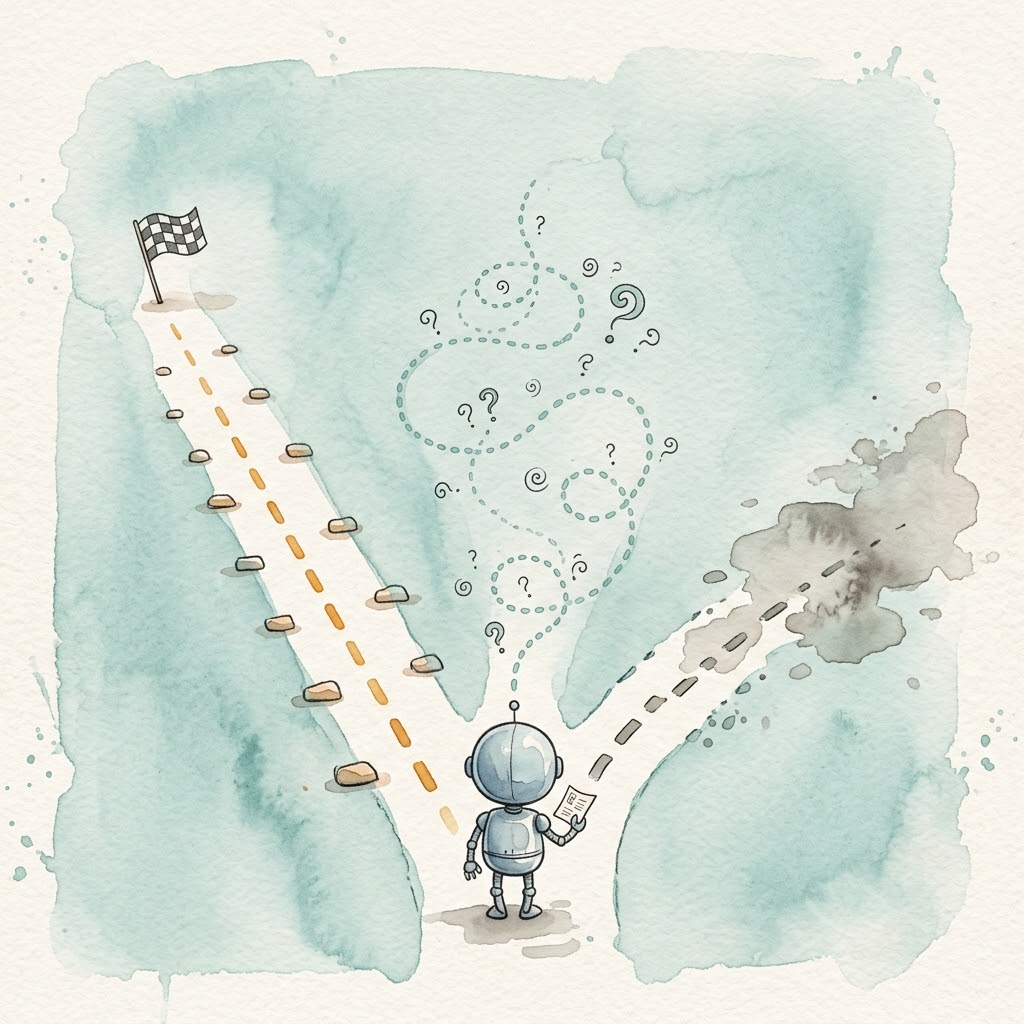
Here’s the conclusion up front: the problem isn’t constraints; it’s tools. When you design tools for an Agent, you’re designing its user experience—you’re deciding what it can see, what it can touch, and what “done” even means.
Tools are the Agent’s hands and eyes. Give it certain tools, and it does certain things. No matter how smart the model is, bad tool design leaves it groping in the dark. That sounds like common sense, but not many people in the industry actually treat it seriously—most teams pour 90% of their effort into model selection and barely glance back at the tool interfaces themselves.
A useful analogy: tool design is like setting up a desk for a new hire. More stuff isn’t better; what matters is that everything within reach is what they need, and what they don’t need isn’t blocking their way. A desk piled with equipment the person never uses is the same mistake as context stuffed with tool schemas the model never calls.
Evidence: Ablation Experiment with miniharness
This conclusion has data backing it. The miniharness ablation study quantified the impact of tool design on Agent performance[1]: same task, different tool call format, and step count doubled while completion dropped sharply.
| Tool Format | Completion | Steps | Tool Calls | Total Tokens |
|---|---|---|---|---|
| native_json | ✅ Complete | 4 | 4 | 6,618 |
| xml | ⚠️ Premature exit | 2 | 1 | 3,188 |
| prompt | ⚠️ Never called finish | 2 | 2 | 2,966 |
The model didn’t get dumber; the tool was feeding it too little or too vague information. The native_json format made it clear how many parameters there were and what type each one was, so it knew exactly which steps to take. The XML and prompt formats left the model guessing—either giving up early or circling around.
Gaps that model selection can’t close, better tool design might bridge in one move.
Three Kinds of Tools
We have the conclusion. We have the evidence. The next question naturally follows: if we want to expand what an Agent can do, where do we add it?
First, a clarification. When people talk about “extension” in the industry, they mix terms like MCP, plugins, extensions, and Hooks—making it sound like several separate paths. But if you sort by the relationship between tool and Harness, there are only three kinds:
Built-in: shipped with the Harness, hardcoded into the source. Atomic operations like read, write, and bash are typically built in. Zero configuration needed, but you can’t change them.
Extension: code injected into the Agent process at runtime. Tools are functions; calling a tool is calling a function. Extensions can access session state, listen for events, and control terminal rendering. Full control, but bound to a specific Harness.
Service: tools running in a separate process, communicating with the Agent via a protocol. MCP is the open standard on this path. Portable across products; the cost is an extra communication hop on every call.
The three kinds aren’t mutually exclusive options—a mature Harness usually has all three. The real difference is how much sits on each layer. Those trade-offs are what define each Harness’s design philosophy.
Five Products, Five Trade-offs
Pi: Minimal Built-in, Full-Featured Extensions
Pi ships with only four atomic built-in tools: read, write, bash, edit[2]. Todo lists aren’t built in (you write a TODO.md), web browsing isn’t built in—everything else is left for the user to extend.
It dares to cut this aggressively because the extension layer is strong enough to carry the weight. Pi extensions are in-process TypeScript modules[3], placed in ~/.pi/agent/extensions/ (global) or .pi/extensions/ (project-level) and loaded automatically at startup:
// Pi extension example: register a rules search tool
import type { ExtensionAPI } from "@earendil-works/pi-coding-agent";

export default function (pi: ExtensionAPI) {
  pi.registerTool({
    name: "search_rules",
    description: "Search the rules library by keyword and return matching rule summaries",
    inputSchema: {
      type: "object",
      properties: {
        keyword: { type: "string", description: "Search keyword" },
        limit: { type: "integer", description: "Max results to return, default 10" }
      },
      required: ["keyword"]
    },
    handler: async ({ keyword, limit = 10 }) => {
      // Direct filesystem access, zero network overhead
      const rules = await pi.readRules();
      const matches = rules.filter(r => r.content.includes(keyword));
      return matches.slice(0, limit);
    }
  });
}
Extensions can do more than register tools: listen for tool execution events to implement interception (this is how Hooks from Day 3 work), inject context, register custom slash commands, and control terminal rendering. If you already know how to write Hooks from Day 4, you’ve basically mastered the extension event API—swap pi.on(...) for pi.registerTool(...) and you’ve gone from “listening to other people’s tools” to “registering your own.”
Pi does support MCP on the service layer, but the clear bet is on the extension layer: minimal built-in is the stance, full-featured extensions are the confidence.
Claude Code: Built-in Enough, Service-Layer Open
Claude Code’s built-in layer is much thicker: file operations, search, WebFetch, WebSearch, subagent orchestration—over a dozen tools ready to go out of the box. The design goal is explicit: lower the onboarding bar, so a beginner can get to work without learning an extension mechanism first.
Its extension layer is hooks and plugins—hooks handle event interception (Day 3 again), and plugins bundle slash commands, subagents, hooks, and MCP servers into distributable units. But here’s the critical fact: there’s almost no way to register a new tool inside Claude Code’s process. The only real path is MCP. So the ecosystem centers on the service layer: Claude Code was the earliest adopter of MCP (Model Context Protocol)[4]. MCP is an open protocol from Anthropic that lets Agents call external tools through a standard interface—servers can be written in any language, and both Claude Code and Codex can use them.
A typical MCP Server tool definition looks like this:
// MCP Server tool definition example
{
  "tools": [
    {
      "name": "search_rules",
      "description": "Search the rules library by keyword",
      "inputSchema": {
        "type": "object",
        "properties": {
          "keyword": { "type": "string", "description": "Search keyword" },
          "limit": { "type": "integer", "description": "Max results to return" }
        },
        "required": ["keyword"]
      }
    }
  ]
}
On Agent startup, all MCP Servers are loaded and their tool schemas get injected into context. Notice the description field—that is the Agent’s entire understanding of the tool. Write it well and the model calls it correctly on the first try; write it vaguely and the model will waste rounds guessing. That field deserves roughly half your development time.
Claude Code’s trade-off is clean: built-in handles “enough to start,” service-layer handles “open to grow,” and the community ecosystem fills the long tail.
Codex: Lean Built-in, Sandbox First
Codex is OpenAI’s counterpart, rewritten from TypeScript into Rust. The design focus isn’t the tool layer at all—it’s the execution environment: approval mode plus OS-level sandboxes (Seatbelt on macOS, Landlock on Linux, network disabled by default), shifting the question of “what can the Agent do?” from tool design to runtime constraints[5].
The built-in layer stays lean for this reason: shell execution and file patching are the core, tool count kept low. The sandbox covers safety; the built-in layer doesn’t need to restrict tools to prevent risk.
The extension layer has caught up since late 2025 with hooks, Skills, and Plugins[6], but if we break it down: hooks handle event interception (a Day 3 topic), skills are instruction bundles, plugins are distribution formats—to add a new tool to Codex, you still go through MCP alone.
Codex represents another approach: keep the tool layer simple and offload complexity to the execution environment and packaging ecosystem.
OpenCode: Community Route, Both Layers Covered
OpenCode is the open-source camp’s representative: community-driven, multi-model, highly modular[7]. What makes it special is that it gives complete answers on both layers—the extension layer supports custom tools (TypeScript, loaded just by dropping them into the project’s tool directory) and event plugins; the service layer fully supports MCP.
In other words, OpenCode is doing what Pi does on the “in-process extension” side, and doing what Claude Code does on the “MCP service” side. The cost: no strong trade-off stance. If you can do anything, you have to figure out which layer fits your scenario.
DeepSeek Harness: Built-in Dissolved, Everything Is a Plugin
DSH goes to the extreme[8]: everything is a plugin. Model adapters are plugins, the tool registry is a plugin, session storage is a plugin, and even the Agent Loop itself is a plugin[9].
That means its “built-in layer” gets dissolved—nothing is hardcoded. All three layers collapse into one form: plugins. Plugins communicate through services and typed events, with reversible effects.
# DSH config: declare which plugins to load
plugins:
  - name: search-rules
    type: tool
    source: npm:ds-tool-search-rules
    config:
      keyword: "linter"
      limit: 10

  - name: code-reviewer
    type: agent
    source: github:myorg/code-reviewer-plugin
    config:
      model: deepseek-chat
      temperature: 0.3
Converging Paths
Laying the five products’ strategies side by side:
| Product | Built-in | Extension | Service |
|---|---|---|---|
| Pi | 4 atomic tools | TypeScript modules, can register tools | Supports MCP |
| Claude Code | A dozen tools, ready to go | hooks + plugins, cannot register tools | Earliest MCP adopter |
| Codex | Lean, sandbox covers safety | hooks + skills + plugins, cannot register tools | Supports MCP |
| OpenCode | Standard coding toolset | Custom tools + event plugins | Supports MCP |
| DeepSeek Harness | Dissolved into plugins | Cordis plugins, extended to the extreme | Supports MCP |
See the pattern? All five share the same three-layer structure; only the trade-offs differ. Pi bets on the extension layer, so it cuts built-in down to four. Claude Code bets on the service layer, so it gives up in-process registration entirely. Codex bets on the execution environment, keeping the tool layer simple. OpenCode covers both layers and leaves the judgment to you. DSH pushes the extension layer to the extreme and swallows the built-in layer whole.
Different paths, same destination: each one is answering “how do we give Agents just the right tools—not too few, not too many.” Once you understand this three-layer framework, any new Harness that comes along, you can quickly place its design philosophy: how thick is its built-in layer? What permissions does its extension layer grant? What protocols does its service layer support?
Core Principles of Tool Design
We’ve covered three kinds of tools and five products. Regardless of which layer a tool lives on, a few cross-layer consensus principles hold. Anthropic’s official tool design methodology[10] echoes these—cross-reference if you’re curious.
Principle 1: Fewer Is Better
We discussed in Day 2 why Pi keeps only four atomic tools: every tool is a permanent “tax” on context. Each tool you add forces the model to read its schema on every startup. Going from 4 tools to 24 eats context even if none ever get called. Aristotle’s MCP server carries 25 tools—the startup fixed cost of loading all their definitions alone is significant, and I weighed that trade-off repeatedly during design.
The counterexample is OpenClaw, which expanded from a coding tool into a personal-assistant platform, accumulating 20+ channel connections, voice, camera, and screen-control capabilities. Functionality grew, but so did startup time, memory footprint, and context overhead. Mario Zechner criticized older-generation Harnesses for turning “into a spaceship with 80% of functionality I have no use for”[11]—this is exactly that phenomenon.
The yardstick: if a user can compose the capability from existing tools, don’t build a new one. Pi doesn’t ship a built-in todo list because write to a TODO.md does the job. Pi does provide a built-in grep tool (off by default, enabled by adding +grep to defaultTools)—not because users can’t run grep via bash, but because raw grep output is hostile to the model. Structured match results save the model a round of parsing. Whether to ship a tool comes down to one question: how hard is it for the model to do this work?
Principle 2: Feed Errors Back Into Context
When a tool call fails, don’t just return an error code. Package the reason and the remedy together into the result, feeding it back to the model.
This principle had empirical support back in Day 1: when the miniharness model hit python: not found, it self-corrected by running which python3. The loop’s self-recovery ability depended entirely on error messages being specific enough.
The dg-ai-notes practical guidelines[12] translate this principle into concrete advice: error messages should spell out why a call failed and how to fix it by error type. Don’t just return “query failed”—tell the model “table doesn’t exist; the database only has sales, products, and users,” and it immediately knows to try a different table name instead of sitting there guessing.
Comparing two approaches:
❌ Bad: TABLE_NOT_FOUND
✅ Good: Table orders_2024 doesn't exist. Available tables: orders_2025, customers, products.
   Tip: If you're looking for 2024 orders, try orders_2025 (2024 data was archived there).
The second version tells the model exactly what to do next. Two minutes from the tool designer saves the model three or four rounds of wasted trial-and-error—and every round costs real tokens.
Principle 3: Separate Tool Output from Tool Results
The model and the user need different things from the same tool output. The model needs structured data it can reason with; the user needs a summary they can scan quickly. Mixing them into one output either drowns the model in irrelevant detail or leaves the user staring at a wall of JSON.
Pi’s structured split tool results mechanism solves this exactly: one output splits into two parts—one structured data block for the model (for downstream reasoning), one rich-text block for the UI (for human comprehension). The model sees JSON; the user sees a highlighted diff or a rendered report. Both come from the same tool call; there’s no inconsistency risk.
This sounds like a UX question, but at its core it’s a context engineering question: the model only needs what it needs; the rest doesn’t eat tokens. However polished the user-facing output is, it doesn’t enter context.
My Tool Design Practice
Principles down. Let’s land on my own project. The two experiences below grew out of Aristotle—one about the “read” direction (what tools return), one about the “write” direction (what tools allow)—both orbiting the same theme: context economy is the first constraint in tool design.
Two-Pass Query: list_rules Returns Metadata Only
Aristotle’s rules library currently holds roughly 30 active rules. The original list_rules tool returned the full body text of every matching rule—the main Agent swallowed thousands of tokens in one call, most of them unrelated to the current task, and the full text then sat in the main session for every subsequent reasoning round.
The redesigned approach splits into two passes:
- Pass 1:
list_rulesreturns only metadata (rule name, tags, match score)—no body text. The coarse filter uses streaming frontmatter search—scanning only the YAML header of each file, clocking under 20ms across all rule files. - Pass 2: the main Agent picks candidates from the metadata, dispatches N parallel scoring subagents, each reading a single rule’s full body, and collects the Top-5 summary.
The critical decision: the main Agent never reads rule body text. Body text enters context only after selection, and enters an isolated sub-session—not the main session. Same information, delivered on demand, in the right quantity, at the right place. This is the “separate tool output from tool results” principle applied at the architecture level.
An easily missed point: two-pass querying adds one tool call. Why does that save tokens? Because context cost is measured by “tokens entering the main session,” not by call count. One extra call costs a few hundred tokens of round-trip; blocking ten irrelevant rule bodies out of the main session saves thousands of tokens of resident pollution.
Trust Gate: All Writes Require User Approval
The second experience is about the “write” direction. Aristotle lets AI distill new rules from reflection, but every rule write must pass user approval before landing.
The reason is straightforward: AI can mistake a one-off correction for a universal rule. An error might happen only because the environment lacked a dependency at that moment, but the AI could distill it into a permanent rule like “always check X first from now on.” Accumulate enough of these misjudgments and the rules library quietly rots—each rule looks reasonable in isolation, but together they make the system increasingly rigid.
At the tool level, the write tool doesn’t land directly. It generates a pending-approval entry (rule body, trigger condition, source reflection), and the rule becomes active only after the user confirms. A single line of summary plus “Accept / Reject” is enough for the approval UI—low cost, high payoff: human gatekeeping on rules library quality at all times.
Human judgment is the final line of defense; don’t hand it to the model. This doesn’t contradict Day 2’s critique of performative security: popups are performance because they appear in high-frequency, reversible, don’t-have-time-to-read-carefully coding scenarios; rule writes are low-frequency, irreversible, worth ten seconds to glance at. Low frequency, high cost, judgment genuinely needs a human—approval is real control, not theater.
Action: Put Your Tool on the Right Layer
Now that we’ve covered the three kinds, the only question before you start building is: which layer does your tool belong on?
Match yourself:
- Simple logic, can be composed from existing tools? — Don’t build a tool. Write it into AGENTS.md as a contract (Day 3’s approach), or teach the Agent to compose existing commands via bash.
- Shared across the team, reusable across products? — Put it on the service layer. Write an MCP Server once, and multiple Harnesses can use it. Debug independently with any HTTP client.
- High-frequency calls, performance-sensitive, needs session state? — Put it on the extension layer. In-process calls have zero overhead and full access to session context. The cost: you’re bound to one Harness and have to rewrite for another.
My own experience: start on the service layer, sink deeper only when needed. The Aristotle project is the full case: OpenCode skill (protocol files loaded on demand) was v1; MCP Server (25 tools, Git-backed rule management) was v2. Write service first, validate the idea; hit a performance wall or need in-process state, then sink to an extension—that direction flows naturally; backwards is painful.
Tomorrow’s Day 6 is the exercise post: you’ll actually install a new tool on an Agent. The three-layer framework and three principles from today will all come into play.
Connecting Back to L2
L2’s Day 12 covered “when to use a script, when to use an Agent”—a division-of-labor judgment at the toolbox level. L3 extends that question: how should an Agent’s tools be designed?
The difference: in the script era, you hardcoded the flow and the model only filled in the blanks; in the Agent era, the model decides for itself which tool to call and in what order. Control has been handed off, but the precondition for that handoff is good tool design—if the interface is vague, freedom becomes randomness; if the interface is clear, freedom becomes agency. In L2, the “parameters” you passed the model became the tool’s inputSchema; the “output” you printed to the terminal became the tool’s return value. The syntax changed; the goal didn’t: give the model everything it needs in one shot, without ambiguity, without wasting tokens.
Further Reading
To go deeper into the full process from feature design to interaction design, I recommend Anthropic’s official Writing effective tools for agents. It lays out an evaluation-driven iterative method: prototype the tool quickly, generate evaluation tasks close to real scenarios and run assessments, then hand the evaluation records to the Agent for analysis so it can improve the tool itself—the tools Anthropic ships internally were iterated this way and outperformed versions tuned by researchers on held-out test sets. Principles like “choosing the right tool” and “prompt engineering for tool descriptions” map directly onto the three principles here. This is the vanguard for Day 6’s exercise.
Today’s Takeaways
- Problem: an Agent not running wild ≠ doing good work. Constraints govern behavior, not quality.
- Conclusion: tool design = Agent UX. You’re not designing tools; you’re designing the interface between model and world.
- Evidence: miniharness ablation experiment—same model, different tool format, steps doubled, completion plummeted.
- Framework: tools come in three kinds—built-in, extension, service. Mature Harnesses have all three; the difference is how much sits on each layer.
- Insight: Pi bets on extensions, Claude Code on services, Codex on the execution environment, OpenCode covers both layers, DSH dissolves built-in—different paths, converging destinations, all answering “how to give Agents just the right tools.”
- Action: put your tool on the right layer—compose don’t build when possible, serve on the service layer for sharing, sink to extensions for performance. Day 6 puts it into practice.
References
- tljcpa/miniharness: tool format ablation experiment data
- Pi official docs: tools.md
- Pi official docs: extensions.md
- MCP specification and quickstart
- OpenAI: Unrolling the Codex agent loop
- OpenAI Codex official docs: hooks and plugins
- anomalyco/opencode repository
- DeepSeek Harness official docs: architecture.md
- DeepSeek Harness official docs: cordis-primer.md
- Anthropic: Writing effective tools for agents
- Mario Zechner: Pi: a coding agent that is just right for me
- buchidonggua/dg-ai-notes: pi-agent tutorial, Chapter 5 “Defining Tools—From Feature Implementation to Interaction Experience” (pi_sdk_learn/docs directory)