
Previous article: Day 3 | Harness Hard Constraints: Static Contracts and Lifecycle Hooks. Now that we understand the principles of static contracts and Hooks, this practice session will have us apply these concepts to transform a real project.
This is the L3 practice article. Navigation for subsequent articles:
| Day | Type | Topic |
|---|---|---|
| Day 5 | Backbone | Tools as Interfaces: Three Extension Paths |
| Day 6 | Practice | Add a new tool to your Agent |
| Day 7 | Backbone | Meta-Architecture: Everything is a Plugin |
| Day 8 | Backbone | Memory, Traces, and Observability |
| Day 9 | Practice | Graduation project: Build a team-level CI/CD automation Harness |
| Day 10 | Phase summary | L3 graduation assessment + Harness future trends |
Have You Encountered This?
On Day 3, we broke down the two-layer hard constraint mechanism of Harness: static contracts (AGENTS.md defines permission boundaries) and Hook interception (runtime inspection of every tool call). You know what an AGENTS.md looks like and why permission popups are performative security. The concepts are clear, but the moment you apply them to your own project, problems surface.
You configured an AGENTS.md for Claude Code or Codex, expecting your AI coding assistant to finally follow the rules. Here’s what actually happens:
- As the project iterates, your AGENTS.md grows from dozens of lines to hundreds. Each session chews up context like an all-you-can-eat buffet, leaving nothing for the actual work.
- You write many “guidelines,” but the AI still acts recklessly, because you wrote suggestions, not constraints.
- After a version update, the AI suddenly starts ignoring your carefully written rules. You can’t tell if the prompt failed or the model changed.
- You want to check whether the AI wrote code according to your standards, but manually reviewing every line is impossible.
There’s only one root cause for all these problems: you treated AGENTS.md as an encyclopedia instead of a table of contents.

The Verdict: AGENTS.md Should Be a Table of Contents, Not a Manual
OpenAI’s Harness engineering team hit the same wall when building a product with a million lines of code. Their initial approach was the same as most people’s: one massive AGENTS.md crammed with architectural decisions, coding standards, and product background [1]. The result?
“When everything is marked ‘important,’ nothing is.”
When a model faces hundreds of lines of instructions, it regresses to local pattern matching. It no longer understands the overall goal; it mechanically matches keywords. The bigger the file, the faster it rots, because nobody wants to maintain a document nobody fully reads.
Their solution was a single sentence: treat AGENTS.md as a table of contents, not an encyclopedia [1].
The specific approach keeps AGENTS.md under 100 lines and makes it do only one thing: tell the Agent where to find information. The real details live in separate files under a docs/ directory: architecture docs, coding conventions, and testing strategies each managing their own domain. This way, AGENTS.md itself stays stable, the model reads on demand, and context isn’t flooded with meaningless information.
This aligns with Day 3’s concept of “static contracts”: the core of a contract is not how much content it has, but machine readability + low overhead.
Evidence: Four Failure Modes of a Bad AGENTS.md
OpenAI distilled four typical AGENTS.md failure patterns from real-world practice. You can use them directly to score your own file:
| Problem | Symptom | Consequence |
|---|---|---|
| Too long | Over 100 lines, covering everything from architecture to color schemes | Crowds out task context, model loses focus |
| No priorities | Every item marked “important” | Model regresses to keyword matching, loses navigational ability |
| No validation | All natural language descriptions, no mechanical checks | Rules go stale unnoticed, becoming decorative |
| Single point of storage | Everything crammed into one file | Cannot distribute maintenance; one person leaves and the doc rots |
These four points aren’t theoretical speculation. They’re real lessons OpenAI’s team learned from a million-line code project [1].
I ran a parallel experiment myself. The tdd-pipeline phase skill files totaled 1,617 lines. I deleted all operational steps, keeping only principles, risk warnings, and counter-examples. The total dropped to 1,360 lines (-16%). Four rounds of blind testing: three passed. The most interesting finding: the model derived the deleted steps on its own. The old version said “Step 1: gather requirements, Step 2: classify user stories.” The refined version only had “understand what to build and why.” The model’s analysis automatically produced the same derivation chain, but organized by itself.
But the fourth blind test exposed a critical boundary: after deleting the review trigger and phase transition pointers, the model didn’t know whether to trigger a review or which phase to enter next. Some content isn’t “domain logic the model can derive” but “process protocol” that must be explicitly stated [2]. The complete experiment record is in “Measuring the Ruler with Itself”.
Today’s exercise for readers is the same battle I fought, just at a different scale: you’re slimming down an AGENTS.md; I slimmed down five phase skill files.
Our solution addresses the root causes: split the “encyclopedia” into a “table of contents + sub-documents,” replace some natural language descriptions with machine-readable formats, and replace manual review with Hooks.
Step 1: Audit Your AGENTS.md
Don’t rush to change anything yet. Take out your own AGENTS.md (or the project’s CLAUDE.md or .cursorrules; they’re essentially the same thing) and score it against the table above:
Length check: How many lines currently?
  □ < 50 lines (excellent)
  □ 50-100 lines (acceptable)
  □ 100-200 lines (needs trimming)
  □ > 200 lines (must restructure)

Priority check: Is there a hierarchy (P0/P1/P2 or must/should/can)?
  □ Yes
  □ No

Validation check: Can rules be mechanically checked by lint/CI?
  □ Most can
  □ Some can
  □ All are natural language, no automated checks possible

Structure check: Does it reference a docs/ subdirectory or other files?
  □ Has sub-document structure
  □ Everything crammed into one file
If three or more items show red flags, your AGENTS.md needs structural refactoring.
Step 2: Restructure as a Table of Contents
The core principle: AGENTS.md keeps only navigation; details sink into sub-documents.
Here’s a restructured example:
project-root/
├── AGENTS.md              # TOC layer: < 100 lines, navigation + key rules only
├── docs/
│   ├── architecture.md    # Architecture documentation
│   ├── conventions.md     # Coding standards
│   ├── testing.md         # Testing strategy
│   └── standards/         # Domain standards (optional)
├── feature_list.json      # Feature list (machine-readable scope constraint)
└── hooks/
    └── post_tool_use.sh   # Hook script
Example AGENTS.md (trimmed version):
# My Project

One-sentence description of what this project is.

## Must-read (loaded at startup)
- [Project Overview](./docs/architecture.md)
- [Coding Conventions](./docs/conventions.md)
- [Current Feature List](./feature_list.json) ← machine-readable, defines scope

## Read on demand
- [Testing Strategy](./docs/testing.md)
- [Error Handling Standards](./docs/standards/error-handling.md)

## Hard Constraints (non-negotiable)
- Never modify architecture diagrams in `docs/architecture.md`
- Must run `npm test` before every commit; failures block the commit
- Features outside feature_list.json scope require updating the list first

## Today's Task
Read feature_list.json, find entries with priority=1 and status=not_started, and start implementing.
This AGENTS.md is only about 25 lines, but through references it points to a complete knowledge base. The model loads only these 25 lines at startup and reads sub-documents on demand. How much context does this save? You do the math.
Step 3: Add feature_list.json to Define Scope
walkinglabs’ course project learn-harness-engineering [3] breaks a harness down into five subsystems—instructions, tools, environment, state, and feedback—and argues that feature lists are harness primitives: scope constraints must be written as machine-readable contracts, not left as verbal agreements in conversation—one feature at a time, no overreach, no half-finishing three things.
AGENTS.md alone isn’t enough. You also need a machine-readable feature list so the Agent knows exactly what it can do this time.
feature_list.json is one of four starter templates in the course project’s Resource Library (the other three: AGENTS.md, init.sh, claude-progress.md). It works like this: the instructions in AGENTS.md tell the Agent to read it at startup, the Agent loads the list into context with its read tool, then works through the list.
A list doesn’t check itself. It only works in combination with a checker program: the list records “what to do and what counts as done,” the checker verifies “whether the evidence is real.” walkinglabs ships such a validator—feature-list-validator.ts [4] reads any project’s feature_list.json, validates the schema, and flags entries marked “passing” without verification evidence. None of Codex, Claude Code, or Pi include this kind of check by default, but all three let you build it yourself—Pi via extensions, Claude Code via hooks, and the validator script runs anywhere commands run.
{
  "features": [
    {
      "id": "F001",
      "priority": 1,
      "area": "auth",
      "title": "User login API",
      "user_visible_behavior": "Enter email and password, click login; success redirects to homepage, failure shows error message",
      "status": "passing",
      "verification": "curl -X POST /api/login -d '{\"email\":\"[email protected]\",\"password\":\"test123\"}'",
      "evidence": "tests/auth/test_login.py::test_login_success PASSED"
    },
    {
      "id": "F002",
      "priority": 1,
      "area": "auth",
      "title": "Password reset",
      "user_visible_behavior": "Click forgot password, enter email to receive reset link, click link to set new password",
      "status": "in_progress",
      "verification": "curl -X POST /api/forgot-password -d '{\"email\":\"[email protected]\"}'",
      "evidence": ""
    },
    {
      "id": "F003",
      "priority": 2,
      "area": "search",
      "title": "Full-text search",
      "user_visible_behavior": "Enter keyword to display relevant results list with pagination support",
      "status": "not_started",
      "verification": "curl 'http://localhost:3000/api/search?q=test'",
      "evidence": ""
    }
  ]
}
Key design points:
- Only one
in_progressat a time: prevents the Agent from overreaching. verificationis a machine-executable command: not a description, but a runnable script or curl request.evidenceis filled in by the Agent: after verification passes, test results are recorded, forming a traceable evidence chain.statushas only four states:not_started,in_progress,blocked,passing. No ambiguous states allowed.
This JSON is the Agent’s “task boundary.” This list can largely block overreach and under-finish, two common behavioral issues.
Step 4: Add a Post-Tool-Use Interception Hook
The first three steps solved the problem of “telling the Agent what to do.” But this step solves: after the Agent finishes, how do you ensure it did it right?
The answer is a Post-Tool-Use Hook: automatically triggered checks after tool execution. If a check fails, the error message is fed back to the model, forcing it to self-correct. This is the Back-Pressure mechanism.
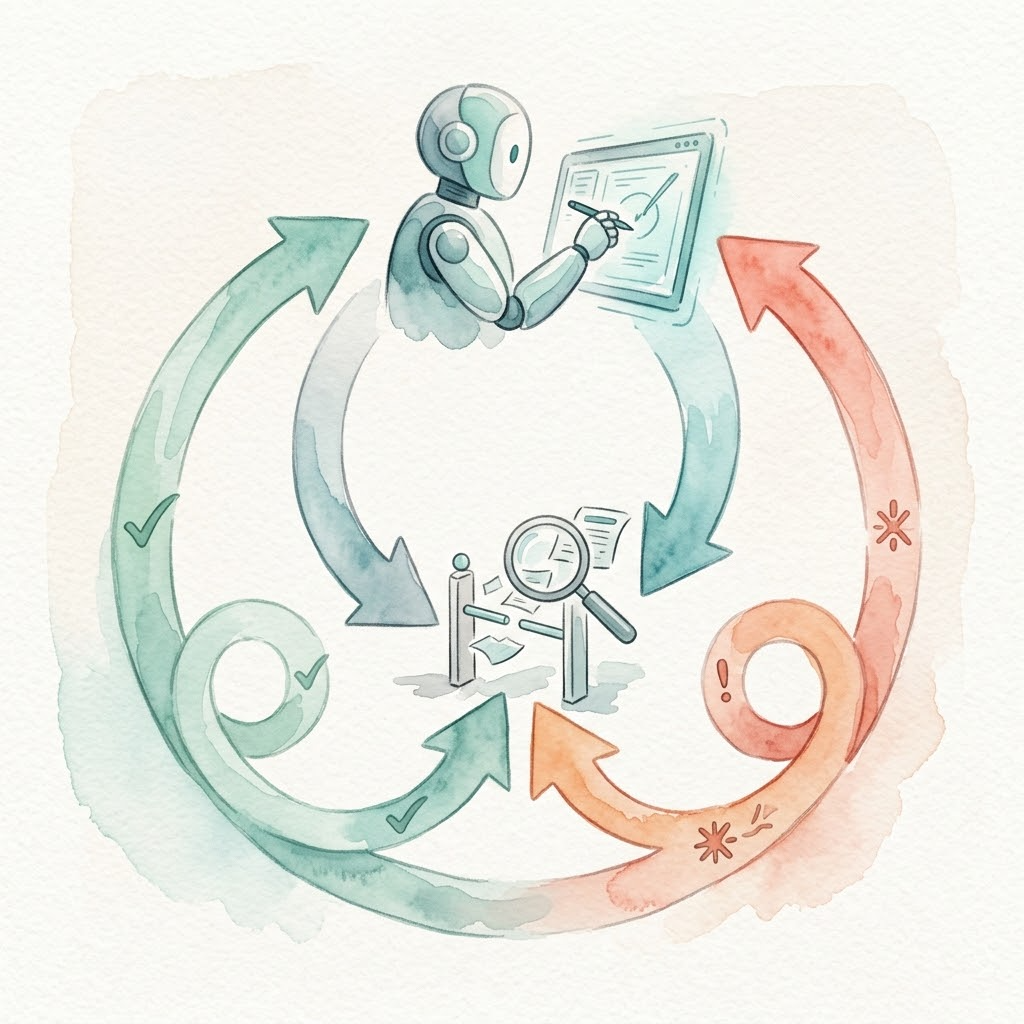
For a Python project, let’s say we want to automatically run a linter after every file write. Using Pi, you write an extension in TypeScript:
~/.pi/agent/extensions/lint-check.ts:
import type { ExtensionAPI } from "@earendil-works/pi-coding-agent";

export default function (pi: ExtensionAPI) {
  pi.on("tool_result", async (event, _ctx) => {
    // Only check write/edit tool results
    if (event.toolName !== "write" && event.toolName !== "edit") return undefined;

    const filePath = event.input?.path as string | undefined;
    if (!filePath?.endsWith(".py")) return undefined;

    console.error(`[Lint-check] Running ruff on ${filePath}`);

    const { stdout, code } = await pi.exec("ruff", ["check", filePath]);
    if (code !== 0) {
      // Append the error to the tool result and mark it as failed,
      // feeding it back to the model to trigger Back-Pressure
      return {
        content: [
          ...event.content,
          { type: "text", text: `Ruff errors:\n${stdout}\nPlease fix and retry` },
        ],
        isError: true,
      };
    }

    return undefined; // Pass, keep original result
  });
}
Place this file in ~/.pi/agent/extensions/ and Pi loads it automatically on startup. No extra config needed—that’s Pi’s convention.
The equivalent in Claude Code takes a different path: you write a standalone Shell script that receives JSON events via stdin/stdout [5], then declare it in .claude/settings.json at the project root:
{
  "hooks": {
    "PostToolUse": [{ "matcher": "Write|Edit", "hook": "./hooks/post_tool_use.sh" }]
  }
}
Both approaches implement the same mechanism. Pi lets you write TypeScript directly—the Hook lives in the same language stack as your code. Claude Code requires Shell scripting with JSON serialization between processes. Which you choose depends on what you use daily—the key is understanding the mechanism, not memorizing syntax.
Step 5: Comparative Verification
Verification is simple: run the same task in both the old and new environments and compare results.
Example:
Task: Add a user registration API to the project.
Old AGENTS.md (300 lines, encyclopedia-style):
- After the model reads 300 lines, 60% of context is already consumed
- It simultaneously opens architecture docs, coding standards, and testing strategy. Information overload.
- The code it writes lacks error handling because there are no explicit enforcement rules
- You have to manually review to catch what’s missing
New AGENTS.md (25 lines + feature_list.json + Hook):
- Only 25 lines loaded at startup, ample context
- feature_list.json clearly tells it “registration API is F004, priority=1”
- After writing code, Hook auto-triggers the linter, finds missing type annotations, and feeds errors back
- Model self-corrects, Hook triggers again, passes
- You didn’t say a word during the entire process
This is the value of Back-Pressure: shifting human review work to automated machine execution. You only configure check rules in the Hook; the loop handles the rest.
Optional Advanced Exercise: Build a Reusable Contract Template
Today you rewrote an AGENTS.md and added a Hook. The next step is to solidify this pattern so you can reuse it across projects.
Specific steps:
- Create a template directory: Copy today’s restructured directory into a project template—
AGENTS.md(TOC layer),docs/(sub-documents),feature_list.json(scope constraint),hooks/(Hook scripts). - Parameterize the Hook you wrote today: Replace ruff with your project’s actual tool, change the matcher to the tool name you actually intercept, and move paths into environment variables or config files.
- Write a README: Document who this template is for, how to install it, what each file does. Next time you start a new project, copy and paste, and you’re configured in fifteen minutes.
The payoff: the pitfalls you hit today—the bloated AGENTS.md, performative permission popups, the model ignoring rules—won’t be yours to discover again on the next project.
Today’s Takeaways
Today we completed five things together:
- Diagnosed common AGENTS.md problems using OpenAI’s four failure criteria: too long, no priorities, no validation, single point of storage.
- Mastered the table-of-contents refactoring method: keep AGENTS.md under 100 lines as pure navigation, with details sinking into
docs/sub-documents. - Learned to use
feature_list.jsonfor machine-readable scope constraints, addressing overreach and under-finish. - Implemented a Post-Tool-Use Hook, using Back-Pressure to feed linter errors back to the model automatically.
- Directly observed the behavioral difference between “hard constraints” and “soft suggestions” through old-vs-new environment comparison.
Remember one sentence: contracts govern what should be done; Hooks govern whether it was done right. Together, they form a complete hard constraint system.
Day 5 enters the addition phase. Now that your Harness is sufficiently constrained, the next question is how to make it do more work. Three extension paths (MCP Server, Pi extensions, DSH plugins) each have trade-offs. We’ll break them down one by one.
References
- OpenAI: Harness engineering: source for the “one big AGENTS.md” failure case and the table-of-contents solution
- Measuring the Ruler with Itself: tdd-pipeline V0.7 Refinement Experiment — Results section (Round C process-protocol finding)
- walkinglabs/learn-harness-engineering: course project homepage—a Harness Engineering course by the GitHub open-source organization walkinglabs; the five-subsystem framework is in Lecture 02, and the feature-list-as-primitives argument is in Lecture 08
- feature_list.json template (Resource Library); the mechanical validator is feature-list-validator.ts
- Claude Code Documentation: Hooks reference — PostToolUse section