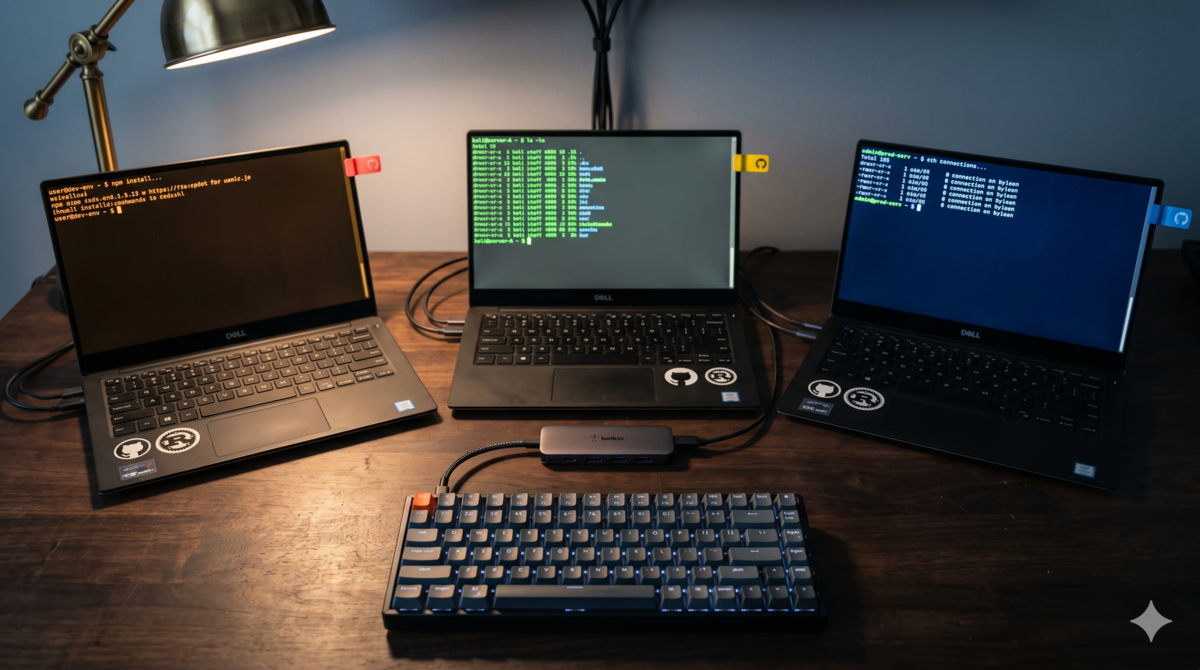
Why I Need Three OpenCode Configs
I have three opencode.json files in my ~/.config/opencode/ directory. The reason is simple: I wanted to run oh-my-openagent (omo from here on) and oh-my-opencode-slim (oms from here on) side by side, comparing them to understand where each one’s boundaries lie.
omo is the full version—it comes with a batch of built-in agents (Sisyphus, Atlas, Prometheus, Oracle, Explore, Librarian, Metis, Momus, etc.), plus the ones I register on demand. The core is the fallback chain and the Sisyphus orchestrator: throw a refactoring task at Sisyphus, and it breaks the task down for Prometheus to plan, Atlas to execute the plan and distribute subtasks, Explore to search code, Oracle to analyze, then Sisyphus aggregates the results. oms is the slim version—it also has an orchestrator as the main agent responsible for executing tasks, but the difference is in the review phase: oms uses council multi-model consensus, where multiple councillors review results in parallel, and the Council agent synthesizes outputs from all councillors to reach a final conclusion.
The two plugins have different orchestration philosophies: omo is centralized orchestration with step-by-step distribution; oms is main-agent execution plus council review. Documentation alone doesn’t make the differences clear—only by actually running them do you know which to use when.
But the two plugins cannot be loaded simultaneously—they each inject hooks, tools, agents, and MCP servers, and mixing them causes interference. So every switch requires modifying the configuration file, followed by a restart. After a few back-and-forth edits, it got annoying.
So I added a third one: clean mode. Load nothing, keep only provider and MCP. Use clean mode when testing my own plugins—both omo and oms inject things into the environment, and you need a clean baseline to rule out interference.
Three configs, three scenarios, one environment variable to switch between them.
Solution: Environment Variable Switching
When OpenCode starts, it reads the OPENCODE_CONFIG environment variable, which points to different configuration files. This is an officially supported mechanism—no hacks needed.
The design principle has only one rule: make the shortest path the one you use most.
I spend most of my time working on projects, so omo is the default. Type omo to directly enter the full version, no extra parameters needed. When testing plugins, type opencode to enter clean mode. When you need a lightweight multi-model setup, type oms.
omo         → omo full version (default)
opencode    → clean mode
oms         → oms slim version
If you don’t develop plugins and just write code daily, keeping omo as default is fine. Swap the default to whichever one you use most.
File Structure
~/.config/opencode/
├── opencode.json              # Default config (clean mode)
├── opencode-slim.json         # oms slim version
├── opencode-omo.json          # omo full version
├── oh-my-openagent.jsonc      # omo plugin config
├── oh-my-opencode-slim.jsonc  # slim plugin config
└── launch.sh                  # Launch switch script

The three JSON files share provider configuration, but MCP servers and plugins are different in each. Provider is infrastructure—API keys written in one place are enough. If each config maintained a complete provider, changing one and forgetting the others would eventually cause problems.
Clean Mode opencode.json
{
  "provider": { ... },
  "mcp": {
    "aristotle": {
      "type": "local",
      "command": ["uv", "run", "--project", "~/.config/opencode/aristotle", "python", "-m", "aristotle_mcp.server"],
      "enabled": true
    }
  },
  "permission": { ... }
}
No plugin field. Clean. aristotle is an MCP server that handles error reflection. But without the aristotle-bridge plugin installed, Aristotle can only run synchronously—reflection operations are completed by the main agent directly calling MCP, which occupies the conversation’s context. omo and oms achieve asynchrony through the bridge plugin: Aristotle runs reflection in a separate sub-agent, keeping the main conversation clean. This is clean mode’s trade-off: clean, but missing async reflection.
oms Slim Version opencode-slim.json
{
  "provider": { ... },
  "mcp": {
    "aristotle": { ... }
  },
  "permission": { ... },
  "plugin": [
    "oh-my-opencode-slim@latest",
    "@mohak34/opencode-notifier@latest",
    "@warp-dot-dev/opencode-warp",
    "file:///Users/xxx/.config/opencode/aristotle-bridge/index.js"
  ]
}
The plugin field is an array, not an object. aristotle-bridge/index.js is a local plugin, not an npm package—built from three modules (core, reflection, watchdog). It converts MCP’s synchronous calls into async sub-agent execution and monitors pipeline status. aristotle is still registered in MCP; the bridge plugin adds async scheduling capability on top of this. The two work together, not as replacements.
omo Full Version opencode-omo.json
{
  "provider": { ... },
  "mcp": {
    "aristotle": { ... }
  },
  "permission": { ... },
  "plugin": [
    "oh-my-openagent",
    "@mohak34/opencode-notifier@latest",
    "@warp-dot-dev/opencode-warp",
    "file:///Users/xxx/.config/opencode/aristotle-bridge/index.js"
  ]
}
The only difference between omo and oms is the plugins declaration—omo uses oh-my-openagent, oms uses oh-my-opencode-slim@latest. MCP configuration is completely identical.
Two Orchestration Philosophies
omo and oms aren’t just “heavy” versus “light”—their orchestration philosophies are fundamentally different. Once you understand the difference, choosing the right one for each scenario becomes obvious.
omo: Sisyphus Central Orchestration
omo uses Sisyphus as the central orchestrator. Give it a task, and Sisyphus breaks it down, distributes work, collects results, and aggregates. Downstream agents each handle their specialty: Prometheus does task planning, Atlas executes plans and distributes subtasks, Oracle does architecture consulting and deep analysis, Explore searches code, Librarian looks up docs. Each agent only cares about its own domain; Sisyphus coordinates context passing between them.
The benefit of this mode: high task decomposition quality, agents don’t fight each other. The downside: Sisyphus itself is a bottleneck—if it misunderstands, everything downstream is wrong. Plus there’s an extra layer of orchestration overhead, so simple tasks using omo are actually slower than direct conversation.
oms: Orchestrator Execution + Council Review
oms has an orchestrator as the main agent, responsible for receiving tasks, calling tools, executing code—similar to omo’s Sisyphus. The difference is in the review phase: after task completion, multiple councillors review results in parallel, each independently giving their opinion, and the Council agent synthesizes all outputs to reach a final conclusion. Councillor count is configurable, each can use a different vendor’s model, and they don’t know each other’s output.
The benefit of this mode: the review phase reduces single-model error rates through redundancy. If one model hallucinates, the other two can correct it. The downside: token consumption in the review phase is a multiple of the councillor count, so higher cost. And the synthesis quality depends on the synthesis model’s capability—if it also misunderstands, multiple councillors’ outputs might be incorrectly merged.
How to Choose
| Feature | Clean Mode | omo | oms |
|---|---|---|---|
| Plugins | None | oh-my-openagent | oh-my-opencode-slim |
| Agent count | OpenCode default | Plugin built-in + custom | Plugin built-in + custom |
| Orchestration | None | Sisyphus central orchestration | Orchestrator + council review |
| Use case | Plugin testing (rule out interference) | Complex projects, multi-agent collaboration | Fast tasks with council review |

My rule of thumb: use omo for complex tasks requiring multi-step decomposition and cross-module coordination (like building projects from scratch, large-scale refactoring); use oms for fast tasks with clear goals that can be done in one or two steps; use clean mode for testing your own plugins. Forcing one config to cover everything means compromising in every scenario—the heavy one feels slow, the light one feels weak, the clean one lacks features. I tried using only omo, but testing plugins meant bunx uninstalling and reinstalling every time—annoying as anything. I also tried using only clean mode, but doing real projects without agent orchestration cut efficiency in half. Three configs look like trouble, but actually you’re making the “which tool to use when” decision ahead of time, so you don’t have to think about it while working.
The fallback mechanisms of the two plugins differ significantly—omo is a five-layer pipeline with layer-by-layer degradation, oms is model selection at startup plus abort retry at runtime. Configuration patterns, best practices, and real examples are written in a separate article: omo vs oms: Fallback Chains Deep Dive.
Launch Script
launch.sh goes in ~/.config/opencode/, source it into your shell:
#!/bin/bash

# Clean mode
oc-clean() {
  OPENCODE_CONFIG="$HOME/.config/opencode/opencode.json" opencode "$@"
}

# omo full version
oc-omo() {
  OPENCODE_CONFIG="$HOME/.config/opencode/opencode-omo.json" opencode "$@"
}

# oms slim version
oc-slim() {
  OPENCODE_CONFIG="$HOME/.config/opencode/opencode-slim.json" opencode "$@"
}

# Short aliases
alias omo="oc-omo"
alias oms="oc-slim"
Add one line in .zshrc:
source "$HOME/.config/opencode/launch.sh"
After that, opencode enters clean mode, omo enters full version, oms enters slim version. Parameters work too—omo --resume ses_abc123 uses omo config to resume the specified session.
Pitfalls I’ve Hit
1. Configuration Drift
When bunx installs plugins, the plugin name in opencode-omo.json occasionally gets overwritten. It’s written as oh-my-openagent, but after installation becomes oh-my-openagent@latest. Functionality isn’t affected, but git diff reports changes. When troubleshooting, it’s easy to mistakenly think “I changed something.”
Solution: After installation, manually check the plugins field to confirm the name wasn’t tampered with. Or write a postinstall hook to automatically correct it.
2. oms Duplicate Loading
oh-my-opencode-slim sometimes gets registered twice with the main configuration’s plugin entries. Symptom is seeing two loading oh-my-opencode-slim... logs at startup. Doesn’t affect functionality, but runs initialization once for nothing.
Solution: Ensure opencode-slim.json only contains one plugin declaration. Don’t write it in both global config and slim config.
3. t MCP Duplicate Registration
If all three configs declare the same MCP server (like t), it might get registered twice at startup. Manifests as MCP calls returning two results, or duplicate entries appearing in the tool list.
Solution: Remove shared MCP servers from omo and oms configs, keep only one copy in clean mode’s opencode.json. omo and oms reference them through internal plugin mechanisms.
4. Sisyphus Model Adaptation
omo’s Sisyphus orchestrator prepares dedicated prompt variants for different models—Claude Opus 4.7, GPT-5.4/5.5, Gemini, Kimi K2.6 each have independent files. The Gemini version has “corrective overlays” that fix Gemini’s tendency to skip tool calls, avoid delegation, and claim completion without verification. The docs explicitly state “Sisyphus strongly recommends Opus 4.7,” with Kimi K2.6 as the next choice.
In practice, different models running Sisyphus indeed have differences, but all within usable range. I mainly use GLM series models, orchestration quality is completely acceptable—omo’s per-model prompt adaptation isn’t just for show; it really flattens the gap between different models. If you have an Opus key, the effect is certainly better; if not, GLM or Kimi K2.6 are fully sufficient.
5. Hephaestus Unavailable
The Hephaestus agent is designed to need specific high-capability models. My provider doesn’t have the corresponding model’s key. The fallback chain directly skips it, using the next backup agent. Functionally it loses an “auto-fix” capability, but doesn’t affect other agents’ normal work. If I add the corresponding provider later, I can just add the configuration.
Actual Usage
Among the three configs, I use omo the most—most of the time I’m working on projects, and Sisyphus’s multi-agent orchestration is a real timesaver. Clean mode mainly gets switched to when testing my own plugins. oms I use occasionally, running a council consensus for simple tasks. This ratio varies from person to person. If you don’t test plugins, clean mode can be skipped—omo and oms are enough. But I suggest keeping at least one minimal config as a baseline environment—even if you don’t test plugins, when weird problems appear, switching to clean mode rules out interference, saving you from flying blind.
Worth Noting
- API Key Management: Three configs share provider, API keys written in one place. Don’t copy into each JSON. Change one and forget the others. Sooner or later you’ll have a security incident.
- Cost Control is Intentional: Explore and Librarian using weak models (model-z) isn’t random. These two agents are called frequently. Using strong models can multiply a single session’s token costs several times over.
- Version Requirements: The
OPENCODE_CONFIGenvironment variable requires a relatively new version of OpenCode to support. Low versions might silently ignore it, so watch the startup logs to confirm which config file was actually loaded. - Backup: Git commit before changing configs. The three JSONs look simple, but fallback chains and agent mapping relationships take days to accumulate. Rebuilding from scratch hurts.