This is the Day 6 exercise for Week 2 of the “AI Path: Level Up Guide” series. Complete Day 5: Teach Your Script to Read More File Formats first, then come back here to work through Day 6.
In Day 5: Teach Your Script to Read More File Formats, you built the read_file() function and the skeleton of a batch script. Your script recognizes files in various formats now. But you haven’t run a full pipeline from start to finish yet. You still need to pick a scenario, call the API, and save the results. That loop is missing.
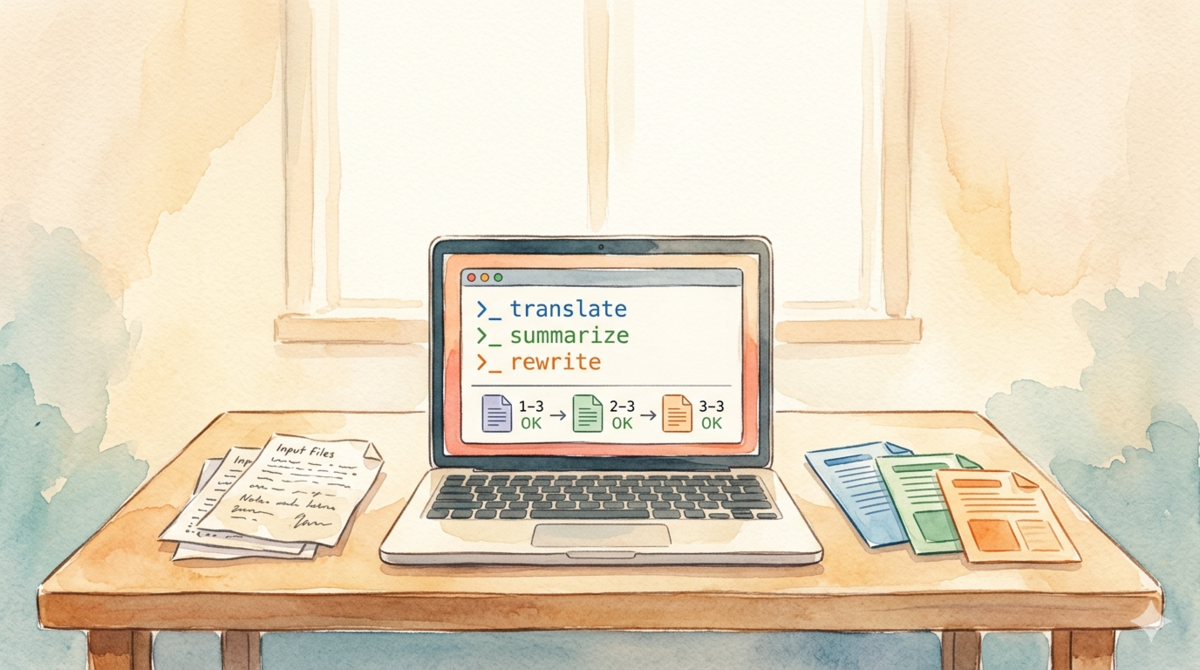
Today you do one thing: pick a real scenario (batch translation, batch summarization, or batch rewriting), and run the complete batch processing pipeline.
Pick one scenario
Batch processing automates repetitive work. Three common scenarios:
Batch translation: A pile of documents in one language needs to become another. Product docs, user reviews, technical notes.
Batch summarization: Stacks of meeting notes, user feedback, research papers that need to be distilled into key points.
Batch rewriting: A set of documents that need uniform formatting or tone. Turning informal notes into formal reports, or standardizing product descriptions.
Pick the option you need most right now, and follow along with it.
Batch Translation: A Complete, Runnable Script
Let’s use batch translation as the example. Say you have a docs/ folder with a bunch of English product documents:
docs/
  feature-overview.md
  faq-en.md
  changelog-v2.md
Goal: translate each document into Chinese and save the results to a translations/ folder.
API calls have input length limits: You can’t shove an entire long document in at once.
Model quality drops on very long inputs. Many APIs enforce token limits. Force it through and you might just get an error.
The right approach: chunked translation: Split the document into segments. Call the API for each segment separately. Then stitch the results back together.
But translation differs from summarization. You cannot cut at fixed character counts; you must preserve sentence boundaries: Cut mid-sentence and the output becomes nonsense.
The script below implements this logic:
import os
import glob
import re
from dotenv import load_dotenv
from openai import OpenAI

load_dotenv()

api_key = os.environ.get("DEEPSEEK_API_KEY")
if not api_key:
    raise ValueError("DEEPSEEK_API_KEY not set. Check your .env file.")

client = OpenAI(
    api_key=api_key,
    base_url="https://api.deepseek.com"
)

MAX_CHARS = 4000  # Max characters per chunk

def split_into_sentences(text, max_chars):
    """Split text at sentence boundaries, ensuring no chunk exceeds max_chars.

    Splits by paragraph first, then by sentence punctuation within paragraphs,
    to avoid cutting mid-sentence."""
    paragraphs = text.split("\n\n")
    chunks = []
    current_chunk = ""

    for para in paragraphs:
        para = para.strip()
        if not para:
            continue

        # Split by sentence punctuation (supports both English and Chinese)
        sentences = re.split(r'(?<=[.!?。!?])\s*', para)

        for sentence in sentences:
            sentence = sentence.strip()
            if not sentence:
                continue

            # If adding this sentence would exceed the limit, save current chunk
            if len(current_chunk) + len(sentence) > max_chars:
                chunks.append(current_chunk)
                current_chunk = sentence
            else:
                if current_chunk:
                    current_chunk += "\n\n" + sentence
                else:
                    current_chunk = sentence

    # Save the last chunk
    if current_chunk:
        chunks.append(current_chunk)

    return chunks

def translate_chunk(chunk_text, prompt):
    """Call API to translate a single chunk"""
    response = client.chat.completions.create(
        model="deepseek-v4-flash",
        messages=[
            {"role": "system", "content": prompt},
            {"role": "user", "content": chunk_text}
        ],
        temperature=0.3,
        max_tokens=500
    )
    return response.choices[0].message.content

def translate_file(input_path, output_dir):
    """Chunked file translation: split, call API per chunk, join results"""
    prompt = "You are a translation assistant. Translate the user-provided text to Chinese, preserving the original format."

    # Inner loop: sentence-based chunking + per-chunk translation
    with open(input_path, "r", encoding="utf-8") as f:
        text = f.read()

    if not text.strip():
        print("  Skipped (empty content)")
        return

    sentences = split_into_sentences(text, MAX_CHARS)

    if not sentences:
        print("  Skipped (empty content)")
        return

    translated_chunks = []
    for chunk in sentences:
        translation = translate_chunk(chunk, prompt)
        translated_chunks.append(translation)

    # Join all translated chunks
    full_translation = "\n\n".join(translated_chunks)

    # If original was split into multiple chunks, add a note
    if len(translated_chunks) > 1:
        full_translation += f"\n\n> Note: Original text was long and translated in {len(translated_chunks)} segments."

    filename = os.path.splitext(os.path.basename(input_path))[0] + ".zh.md"
    output_path = os.path.join(output_dir, filename)
    with open(output_path, "w", encoding="utf-8") as f:
        f.write(full_translation)

def main():
    input_dir = "docs"
    output_dir = "translations"

    if not os.path.exists(input_dir):
        print(f"Error: input directory '{input_dir}' not found")
        return

    files = glob.glob(os.path.join(input_dir, "*.md"))

    if not files:
        print(f"Error: no .md files in '{input_dir}'")
        return

    os.makedirs(output_dir, exist_ok=True)

    print(f"Preparing to process {len(files)} files...")
    print(f"Input: {input_dir}/")
    print(f"Output: {output_dir}/")
    print("-" * 40)

    # Outer loop: iterate all files
    for i, filepath in enumerate(files, 1):
        filename = os.path.basename(filepath)
        print(f"[{i}/{len(files)}] {filename}", end=" ")

        translate_file(filepath, output_dir)
        print("OK")

    print("-" * 40)
    print(f"Done! Results saved to {output_dir}/")

if __name__ == "__main__":
    main()
Key parts of the script:
Translation prompt: The system prompt tells the model to translate to Chinese and preserve the original format.
Sentence-boundary splitting: The split_into_sentences() function splits by paragraph (\n\n) first, then by sentence punctuation (.!?。!?) within paragraphs. No mid-sentence cuts. Preserving sentence boundaries is the core of translation chunking: you cannot split arbitrarily like you would for summarization.
Progress display: [1/4], [2/4]… When running a batch job, knowing the progress beats staring at a blank screen.
Output filenames get a .zh suffix: For example, feature-overview.md becomes feature-overview.zh.md, where .zh is inserted between the original name and extension to mark it as a translation.
Chunked translation: Split by sentence, call the API for each chunk, loop until the file is done. Long files get split into multiple segments and translated separately, then joined. When the original exceeds 4000 characters, a note is added to the output to warn the reader.
Batch Summarization: Change Two Lines and Run
The summarization scenario uses the same script structure as translation. Only two things change:
1. Prompt becomes a summarization instruction:
prompt = "You are a summarization assistant. Summarize the user-provided text into concise bullet points, preserving the key information."
2. Output directory changes:
output_dir = "summaries"
One important difference from translation: summarization can use fixed-character chunking. Translation must respect sentence boundaries because a half-sentence is gibberish in any language. But summarization is lossy by design: you are already discarding information. Cutting at a fixed character count (say, every 4000 characters) and summarizing each chunk separately works fine. The final output is a summary of summaries, not a word-for-word reconstruction, so boundary precision matters less.
If you want, you can simplify split_into_sentences() to a basic fixed-size chunker for summarization. But keeping the sentence-based version works too. It just splits more conservatively than necessary.
Batch Rewriting: Unify Document Tone
Rewriting is another common scenario. You scribbled meeting notes in a hurry, but the tone is too casual, and you need AI to polish them into a formal report style.
Same script, two changes:
Prompt becomes:
prompt = "You are a rewriting assistant. Rewrite the user-provided text into formal, professional written report style, preserving all key information."
Output directory changes:
output_dir = "rewrites"
Try It Now
Drop a few real English documents into a docs/ folder, then run:
uv run python batch_translate.py
You will see progress-style output, with OK after each file finishes. Check the translations/ folder for results.
Try switching scenarios: change the prompt to summarization or rewriting and run it again. See how the same script, with a different prompt, produces completely different output.
Advanced Challenge
If you have English ebooks in .epub format, try writing code to translate them.
Approach: search for “Python read epub file”, find a library that extracts each chapter’s HTML content from .epub, then pipe it into today’s translation script. The split_into_sentences() function needs a small tweak: HTML sentences are broken up by <p>, <br>, and other tags, so you can’t split on \n\n directly.
This is a scenario Day 6 doesn’t cover, but it uses the same pattern you learned today: chunk, call API, join. You already have the template. See if you can make it run.
What You Did Today
- Picked a batch processing scenario (translation / summarization / rewriting)
- Wrote a complete batch script that walks the folder, processes files one by one, and saves results
- Added progress display so you know where the batch job stands
- Understood that APIs have length limits and long files need chunking
Next step: Once your script runs, you will hit real-world problems: network timeouts, API errors, a single file failure killing the entire batch. Day 7 adds error handling: timeout retries, rate-limit backoff, and exception logging.
Script not running? Check the error message (don’t paste your API key), verify your .env file location, folder names, and network connection.