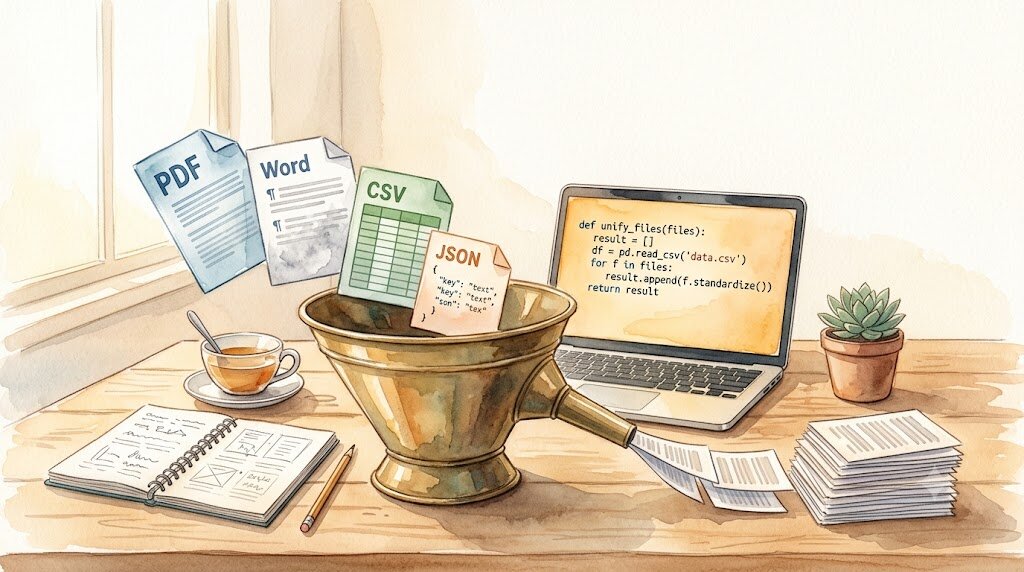
This is Day 5 of Week 2 in the “AI Path L1→L2 Upgrade Guide” exercises. Read Part 2 first, then come back here.
The batch_summarize.py script from Part 2 handles .md and .txt files. But real files come in many more formats. PDF reports, Word contracts, CSV data tables, JSON config files. They’re sitting on your desktop right now, and the script can’t touch them.
Today’s goal: write a read_file() function that picks the right reader based on file extension, then plug it into the Part 2 batch script.
Install the New Libraries
Reading .txt and .md only needs Python’s built-in open(). PDF, Word, and other formats require third-party libraries.
Run this in your project directory:
uv add pypdf python-docx
pypdf reads PDFs (the old name was PyPDF2, but now it’s just pypdf). python-docx reads Word documents. csv and json are built-in Python modules, so nothing extra to install.
One Format at a Time
1. PDF: pypdf
from pypdf import PdfReader

def read_pdf(filepath):
    reader = PdfReader(filepath)
    text = ""
    for page in reader.pages:
        text += page.extract_text() or ""
    return text
Each page in a PDF is an object, and extract_text() pulls the text content from it. Some PDFs are scanned images, not real text. For those, extract_text() returns an empty string. Handling those requires OCR, which is outside the scope of today’s exercise.
2. Word (.docx): python-docx
from docx import Document

def read_docx(filepath):
    doc = Document(filepath)
    paragraphs = [p.text for p in doc.paragraphs]
    return "\n".join(paragraphs)
Word documents store content in paragraphs. This reads only the body text, not tables, headers, or footers. For most documents, that’s enough.
3. CSV: csv module (built-in)
import csv

def read_csv(filepath):
    with open(filepath, "r", encoding="utf-8") as f:
        reader = csv.reader(f)
        rows = list(reader)
    # Join each row with | separators
    return "\n".join([" | ".join(row) for row in rows])
CSV is tabular data. Joining each row’s cells with | turns it into structured text that the AI can understand. If the CSV contains non-ASCII characters, remember to include encoding="utf-8" when calling open().
4. JSON: json module (built-in)
import json

def read_json(filepath):
    with open(filepath, "r", encoding="utf-8") as f:
        data = json.load(f)
    return json.dumps(data, ensure_ascii=False, indent=2)
json.load() parses the file into a Python object (a dict or list). json.dumps() converts it back to a readable string. ensure_ascii=False prevents non-ASCII characters from being escaped into \uXXXX sequences. Without it, you’d see strings like \u4f60\u597d instead of actual text.
Combine Into One Function
Now wrap all four formats into a single function that dispatches based on file extension:
import os
import csv
import json
from pypdf import PdfReader
from docx import Document

def read_file(filepath):
    """Pick the right reader based on file extension, return plain text"""
    ext = os.path.splitext(filepath)[1].lower()

    if ext in (".txt", ".md"):
        with open(filepath, "r", encoding="utf-8") as f:
            return f.read()

    elif ext == ".pdf":
        reader = PdfReader(filepath)
        text = ""
        for page in reader.pages:
            text += page.extract_text() or ""
        return text

    elif ext == ".docx":
        doc = Document(filepath)
        return "\n".join(p.text for p in doc.paragraphs)

    elif ext == ".csv":
        with open(filepath, "r", encoding="utf-8") as f:
            rows = list(csv.reader(f))
        return "\n".join([" | ".join(row) for row in rows])

    elif ext == ".json":
        with open(filepath, "r", encoding="utf-8") as f:
            data = json.load(f)
        return json.dumps(data, ensure_ascii=False, indent=2)

    else:
        raise ValueError(f"Unsupported format: {ext}")
os.path.splitext() extracts the extension, lower() normalizes it to lowercase, and if/elif dispatches to the right reader.
Plug Into the Part 2 Batch Script
Replace the open(...).read() call in Part 2’s batch_summarize.py with read_file(), and extend the file matching from *.md + *.txt to cover more formats. Here’s the full script:
import os
import glob
import csv
import json
from dotenv import load_dotenv
from openai import OpenAI
from pypdf import PdfReader
from docx import Document

load_dotenv()

api_key = os.environ.get("DEEPSEEK_API_KEY")
if not api_key:
    raise ValueError("DEEPSEEK_API_KEY not set. Check your .env file.")

client = OpenAI(
    api_key=api_key,
    base_url="https://api.deepseek.com"
)

def read_file(filepath):
    """Pick the right reader based on file extension"""
    ext = os.path.splitext(filepath)[1].lower()

    if ext in (".txt", ".md"):
        with open(filepath, "r", encoding="utf-8") as f:
            return f.read()

    elif ext == ".pdf":
        reader = PdfReader(filepath)
        return "".join(page.extract_text() or "" for page in reader.pages)

    elif ext == ".docx":
        doc = Document(filepath)
        return "\n".join(p.text for p in doc.paragraphs)

    elif ext == ".csv":
        with open(filepath, "r", encoding="utf-8") as f:
            rows = list(csv.reader(f))
        return "\n".join([" | ".join(row) for row in rows])

    elif ext == ".json":
        with open(filepath, "r", encoding="utf-8") as f:
            data = json.load(f)
        return json.dumps(data, ensure_ascii=False, indent=2)

    else:
        raise ValueError(f"Unsupported format: {ext}")

def summarize_file(input_path, output_dir):
    """Read file, call API for summary, save result"""
    content = read_file(input_path)

    if not content.strip():
        print("Skipped (empty content)")
        return

    response = client.chat.completions.create(
        model="deepseek-v4-flash",
        messages=[
            {"role": "system", "content": "You are a document summarizer. Summarize the user's text in 3 concise bullet points."},
            {"role": "user", "content": content}
        ],
        temperature=0.3,
        max_tokens=500
    )

    filename = os.path.splitext(os.path.basename(input_path))[0] + ".md"
    output_path = os.path.join(output_dir, filename)
    with open(output_path, "w", encoding="utf-8") as f:
        f.write(response.choices[0].message.content)

def main():
    input_dir = "documents"
    output_dir = "summaries"

    if not os.path.exists(input_dir):
        print(f"Error: input directory '{input_dir}' not found")
        return

    # Match all supported formats
    extensions = ["*.txt", "*.md", "*.pdf", "*.docx", "*.csv", "*.json"]
    files = []
    for ext in extensions:
        files += glob.glob(os.path.join(input_dir, ext))

    if not files:
        print(f"Error: no processable files in '{input_dir}'")
        return

    os.makedirs(output_dir, exist_ok=True)

    print(f"Preparing to process {len(files)} files...")
    print(f"Input:  {input_dir}/")
    print(f"Output: {output_dir}/")
    print("-" * 40)

    for i, filepath in enumerate(files, 1):
        filename = os.path.basename(filepath)
        print(f"[{i}/{len(files)}] {filename}", end=" ")

        try:
            summarize_file(filepath, output_dir)
            print("OK")
        except Exception as e:
            print(f"FAILED: {e}")
            continue

    print("-" * 40)
    print(f"Done! Results saved in {output_dir}/")

if __name__ == "__main__":
    main()
The changes are in three places:
Reading logic. summarize_file() now calls read_file(input_path) instead of open(...).read(). The function picks the right reader based on extension.
File matching. The glob.glob() pattern list grew from *.md + *.txt to six formats.
Output filenames. All summaries are saved as <filename>.md files regardless of input format. A Markdown editor can open every result directly.
One extra detail: the content.strip() check. Some PDFs produce empty text output (scanned images). Skipping those avoids wasting an API call on nothing.
Try It Out
Drop a few files in different formats into your documents/ folder. Any PDF, any Word document, any CSV will do. Then run:
uv run python batch_summarize.py
You’ll see the script recognize each format and process them one by one. Check the summaries/ folder for results.
Try adding a .json file. For example, create documents/config.json:
{
  "name": "AI Toolkit",
  "version": "1.0",
  "features": ["batch processing", "multi-format reading", "error retry"]
}
Run it again and see how the AI summarizes JSON content.
What You Did Today
- Installed
pypdfandpython-docx - Learned how to read four file formats: PDF, Word, CSV, JSON
- Wrote a unified
read_file()function that dispatches by extension - Plugged it into the Part 2 batch script, now handling 6 file formats
Next up: Day 6 picks a real scenario (translation, summarization, or rewriting) and runs through a complete batch processing workflow.
Script won’t run? Check the error message first (don’t paste your API key). Verify your .env file location, folder names, and network connection.