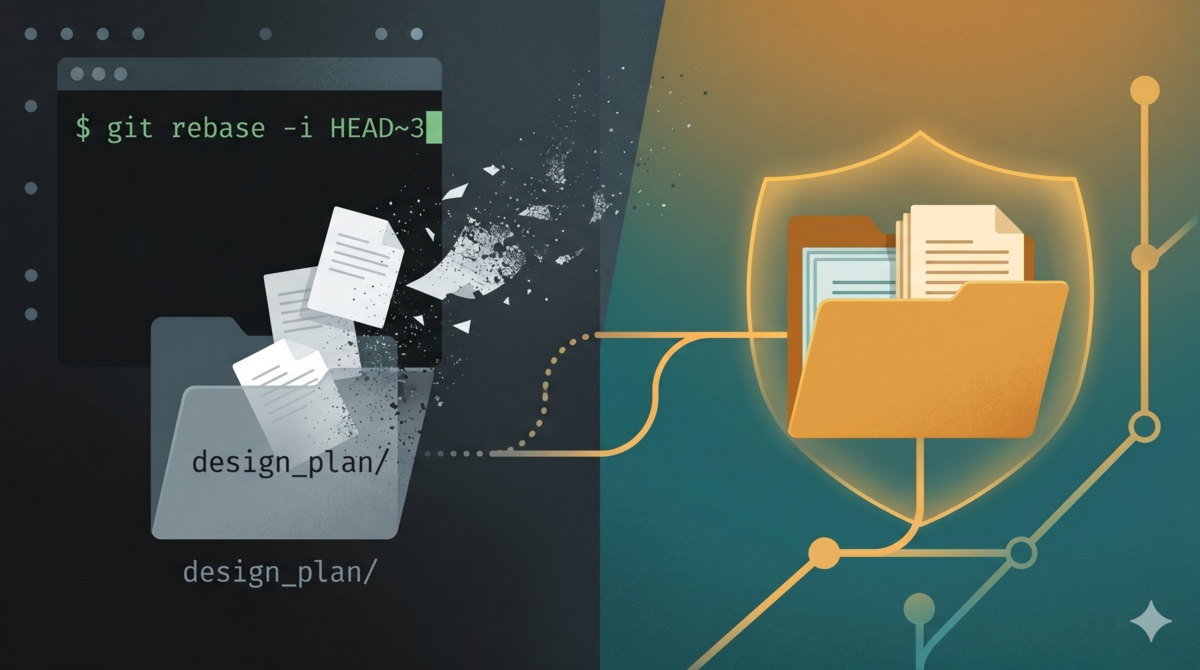
TL;DR: git rebase / checkout silently deletes untracked files in
.gitignore, with no recovery;git stash -udoes NOT stash git-ignored files. The fix: use git worktree to create alocal-assetsbranch, storing design docs in a git-tracked safe space. Three commands handle daily use:dp-save.shto save,--pruneto clean,--restoreto recover. Real project data shows zero document loss after introducing worktree. Full script at alexwwang/design-doc-worktree.
One afternoon I had AI run git rebase -i to tidy up the last dozen commits. No conflicts. Clean terminal. Everything went smoothly.
Then I opened design_plan/ to keep working on a protocol draft.
Empty.
Three days of design discussions (architecture restructuring notes, a comparison of five candidate approaches, the reasoning behind a three-stage pipeline) gone. Not moved somewhere else. Deleted silently by git rebase. These files had never been tracked by git (they were in .gitignore), so git reflog couldn’t find them. git fsck --lost-found couldn’t find them either. They had never entered git’s object database. “Recovery” was not a thing.
This was the second time I’d lost documents in the same project. The first time was a git checkout to another branch and back. Same result: untracked files vanished.
Twice was enough. I started taking this seriously.
Why AI-Assisted Development Loses Design Docs So Easily
In traditional development, design documents live in Confluence, Notion, or some shared platform. Version control is the platform’s job. Git has nothing to do with it.
AI-assisted development doesn’t work that way.
When you use OpenCode or Claude Code on a project, AI generates a pile of intermediate documents in every session: product designs, technical proposals, test plans, protocol drafts, module breakdowns. These documents have two characteristics:
First, they don’t belong in the project repository. AI-generated design documents contain unfinished ideas, rejected approaches, and internal decision-making rationale. Committing them to the repo pollutes the commit history and exposes discussions that should stay internal. So they go into .gitignore: something like design_plan/ or docs/.
Second, they need to survive across sessions. AI doesn’t carry context between sessions, but design decisions are persistent. An architecture settled in one session needs to be re-read by AI in the next. These documents are the cross-session memory carrier.
These two characteristics combine into a dangerous situation: design documents are the most important knowledge assets in the project, and they exist entirely outside git’s protection.
Then git rebase comes along.
Git Is Ruthless With Untracked Files
This isn’t a bug. It’s how git is designed. When rebase rewrites history, it switches to the target branch’s tree state. Untracked files aren’t under version control, so git doesn’t consider them worth preserving. Same goes for checkout.
More critically, every recovery path is blocked:
| Recovery method | What it recovers | For untracked files |
|---|---|---|
git reflog | Tracked commits | Useless |
git fsck --lost-found | Dangling blobs/trees/commits | Useless |
git stash -u | Untracked files | Useless for git-ignored files |
git checkout HEAD -- . | Working tree reset to last commit | Only recovers tracked files |
Note the third row: git stash -u won’t stash files that are in .gitignore. Many people think stash is the safety net. It isn’t.
The bottom line: files that git has never tracked, once deleted, are gone forever. No recycle bin, no undo, no recovery.
Comparing Approaches: What I Tried and What I Didn’t
After losing documents twice, I systematically considered every option:
| Approach | Idea | Problem |
|---|---|---|
git stash -u | Stash before operations | Doesn’t stash git-ignored files, so it can’t protect design docs |
| Cloud sync (iCloud/Dropbox) | Put design_plan/ in a synced directory | Multi-device sync conflicts, awkward for command-line workflows |
| Separate git repository | Create a standalone repo for design docs | High maintenance overhead, need to keep two repos in sync |
| Symlink to a safe directory | design_plan/ → /safe/dir/ | The symlink itself can get deleted during rebase |
rsync to /tmp or elsewhere | Manual rsync before risky operations | Relies on human memory; forget once and there’s no protection |
| Git Worktree | Independent local branch tracking documents | Zero extra dependencies, native git integration, branch-level isolation is a structural guarantee |
Git Worktree won for a simple reason: it’s a native git feature. No installation, no workflow changes, and the isolation between branches is structural: the main worktree’s rebase, checkout, and reset are physically incapable of touching files in another worktree.
The Setup: design-doc-worktree
Dual Worktree Architecture
project/                        # Main worktree (main branch, daily development)
├── .gitignore                  # Ignores design_plan/
├── design_plan/                # Untracked, daily editing happens here
└── scripts/dp-save.sh          # Sync script

<project>-local-assets/         # Assets worktree (local-assets branch)
└── design_plan/                # Tracked by git, permanent storage
Both worktrees share the same .git repository (physically the same set of objects and refs) but are checked out to different branches. The main worktree works on main; the assets worktree stores design documents on local-assets.
Key invariant: the local-assets branch is never pushed to a remote. It exists only locally. Its sole purpose is providing a git-tracked safe space for design documents.
How It Works
The design_plan/ directory in the main worktree is ignored by .gitignore. Day-to-day editing is unaffected. The dp-save.sh script syncs files to the assets worktree, then runs git add and git commit inside it.
Because the assets worktree is independent, any operation in the main worktree (rebase, checkout, reset, clean) can’t touch it. This is an architectural guarantee from git worktree, not a convention.
Daily Usage: Three Commands
Save (additive sync by default):
./scripts/dp-save.sh "draft: new feature design"
Additive means files are only added and updated in the assets worktree: never deleted. This protects an important workflow: sometimes I edit documents directly in the assets worktree (files are always tracked, so edits become commits immediately). Additive sync won’t accidentally delete those files.
Mirror cleanup:
./scripts/dp-save.sh --prune "sync with main worktree"
With --prune, the sync also deletes files that exist in the assets worktree but not in the main worktree, making both sides identical. Useful for periodic cleanup.
Restore (the lifesaver after rebase):
./scripts/dp-save.sh --restore
Copies files from the assets worktree back to the main worktree. This is the recovery mechanism after rebase destroys your documents; the files are safe in the assets worktree, ready to restore at any time.
Core Logic of dp-save.sh
The entire script is 105 lines. The core logic is even shorter:
# Additive sync (default)
rsync -a "$REPO_ROOT/$DOCS_DIR/" "$WORKTREE/$DOCS_DIR/"
git -C "$WORKTREE" add -f "$DOCS_DIR/"
git -C "$WORKTREE" commit -m "$MSG"

# Restore (after rebase)
rsync -a "$WORKTREE/$DOCS_DIR/" "$REPO_ROOT/$DOCS_DIR/"
A few design decisions worth explaining:
Why rsync instead of cp? rsync does incremental transfers: only changed files. More efficient for directories with lots of archived documents.
Why additive by default? In practice, I found it convenient to edit documents directly in the assets worktree; files are always tracked, so editing and committing happen in one flow. If sync deleted files unique to the assets worktree by default, that workflow would break.
Safety guard. Before syncing, the script checks whether the assets worktree has uncommitted changes. If it does, the user has made edits there without committing, and a sync would overwrite them. The script exits with an error, reminding the user to commit first. The --force flag bypasses this check but must be used explicitly.
Archiving Convention
As a project evolves, design documents pile up. A natural archiving structure emerges:
design_plan/
├── archive/
│   ├── 260420/          # YYMMDD format
│   ├── 260425/
│   └── 260503/
└── protocol_draft/      # Active drafts
Active drafts live in protocol_draft/ (or the root directory). When a design phase completes, documents move into archive/ by date. Six-digit YYMMDD is simple and sufficient.
The benefit: AI can load only protocol_draft/ without pulling in the entire archive. When reviewing old approaches, date-based lookup is fast.
Real Project Data
I hit the same trap across multiple projects. Different domains, different complexity levels, different toolchains. The experience with design document management was remarkably consistent.
Project A: The Earliest Pain
A project with 700+ sessions and the highest density of design documents. Before introducing worktree, I lost documents at least twice; the story at the beginning was one of them.
After the switch, the local-assets branch’s commit history evolved roughly like this:
update design_plan 2026-05-03 22:41
clean: keep only design_plan/ and scripts/ in local-assets
archive: organize design_plan by creation date
tool: add dp-save.sh script for design_plan branch sync
local: track design_plan in local-assets branch (never push)
Read from bottom to top: create the branch, add the sync script, organize the archive structure, then clean the branch to keep only design documents and scripts. An organic evolution, not a one-shot setup.
This project later added a third worktree specifically for tracking undo history. Three worktrees coexisting without interference; the approach scales fine.
Project B: Outside the Repo Works, But It’s Not Elegant
300+ sessions. This project took a different path: design documents went into a directory above the code repository:
workspace/
├── project/          # git repository
│   ├── .git/
│   └── src/
└── design_plan/      # Outside the repo, git can't touch it
This avoids the rebase problem: rebase only operates inside the repository, so files outside are unaffected. But the cost is that the correspondence between documents and code is maintained by human memory. Which design document corresponds to which refactor? Which technical proposal was written after which commit? git log won’t tell you. You’re left inferring from dates and filenames.
After using this setup for a while, I migrated to the worktree approach. It’s not that “outside the repo” doesn’t work; it’s that the information density is too low. The git repository knows the context of every code change but nothing about any design change. Worktree at least gives design documents a commit history.
Project C: Day One Adoption
Under 100 sessions. The lightest project. But the only one that had worktree configured from the very first commit.
Lessons from the first two projects had already sunk in. The initial commit included dp-save.sh and .gitignore configuration. Result: zero document loss.
Data Summary
| Project | Sessions | Document loss before Worktree | Document loss after Worktree | Worktree status |
|---|---|---|---|---|
| Project A | 700+ | 2 incidents | 0 | Active (includes a third undo worktree) |
| Project B | 300+ | 1 incident | 0 | Started with parent directory, migrated to worktree |
| Project C | ~100 | 0 (used from day one) | 0 | Active |
Three data points, one conclusion: once worktree is introduced, document loss drops to zero. Project B’s experience also shows that “store outside the repo” works in practice, but can’t match worktree for information traceability.
Setup Guide: Starting From Scratch
If you want to adopt this approach, here are the complete setup steps.
Step 1: Create the local-assets branch and worktree
# From the project root
git branch local-assets
git worktree add ../<project>-local-assets local-assets
Step 2: Add the design document directory to .gitignore in the main worktree
design_plan/
Step 3: Create scripts/dp-save.sh
105-line script. The core logic is shown above. The full script includes argument parsing, safety guards, and --prune/--restore/--force options.
Step 4: Daily usage
# Edit design documents (normal workflow in main worktree)
vim design_plan/protocol_draft/new-feature.md

# Save to worktree
./scripts/dp-save.sh "draft: new feature design"

# Before rebasing main branch, no special action needed.
# After rebase:
./scripts/dp-save.sh --restore
Important reminder: Don’t push the local-assets branch. Ensure it never gets pushed by configuring .git/config or your CI pipeline.
Where This Fits
Let me be clear about when this approach makes sense and when it doesn’t.
Good fit: Mid-to-large AI-assisted projects where design documents need to survive across sessions, the team uses git for code, and rebase/checkout operations are frequent.
Overkill for small scripts and one-off tasks. A few hundred lines of code might only need a few lines of comments for design documentation. Worktree is over-engineering.
Unnecessary if your team already manages design docs on a cloud platform. If Confluence or Notion already handles version control for your design documents, there’s no need to add worktree.
Doesn’t apply to non-git projects. Obvious, but worth stating: worktree is a git feature. The prerequisite is using git.
The deciding question: how important are your design documents to your project? If the answer is “losing them would hurt,” then spending three minutes setting up worktree is worth it.
Git can’t protect files it doesn’t know exist. In AI-assisted development, design documents are core assets; leaving them in git’s blind spot is like leaving your wallet in an unlocked car. Git worktree isn’t the most elegant solution, but it’s the most pragmatic one: zero dependencies, ten minutes to set up, structural safety guarantees. The data speaks for itself: after introducing worktree, document loss went to zero.
I packaged this method as a skill and published it on GitHub: alexwwang/design-doc-worktree. Install it in your coding assistant (Claude Code, Opencode, or similar) and you’re good to go.